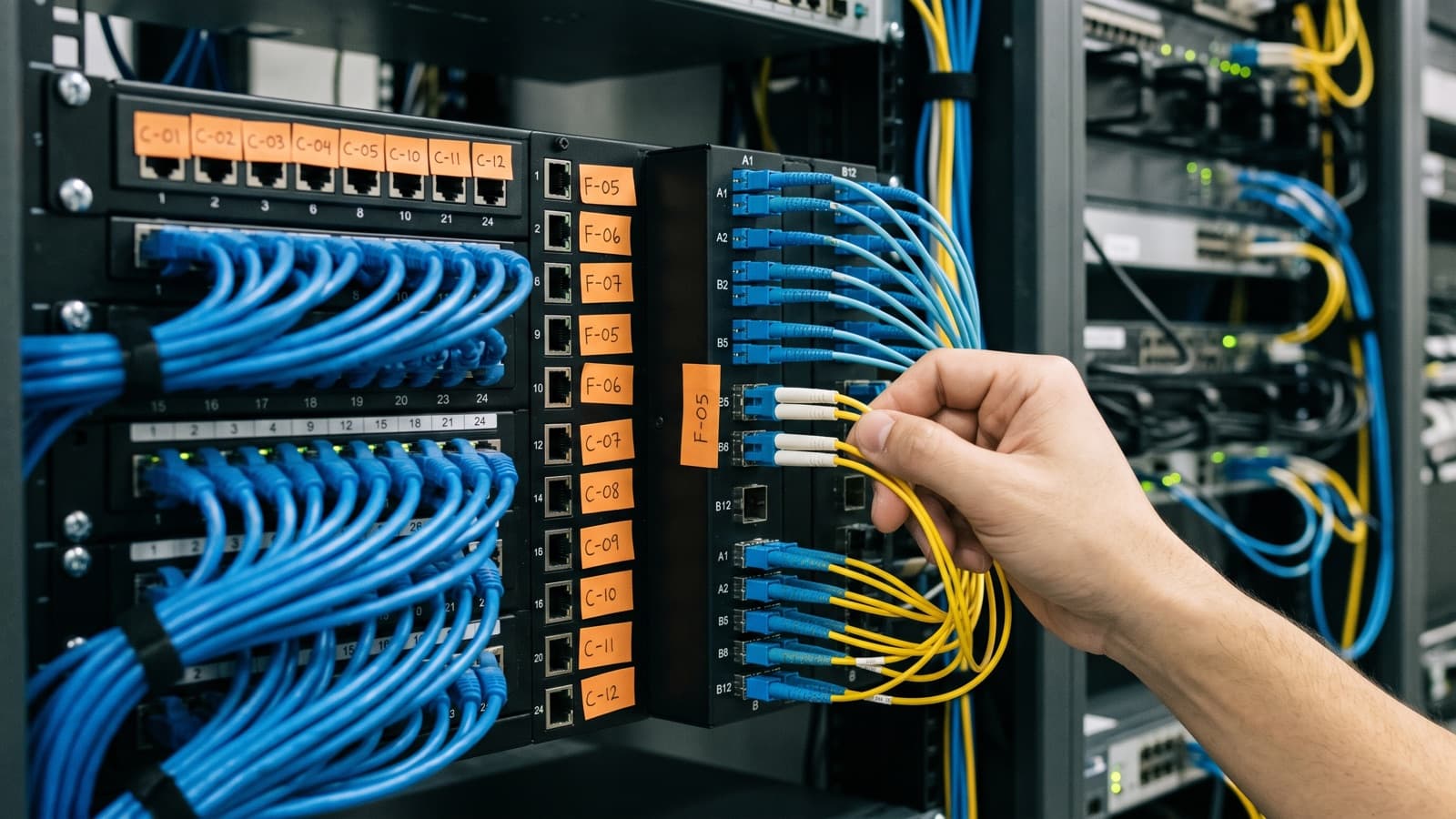
People search for fiber optic cable vs Cat6, fiber optic cable vs copper and fiber optic vs Ethernet as if one choice has to win. In an office it does not. Copper twisted pair serves the last stretch to the device. Fiber serves the longer and faster links between rooms and buildings.
This guide covers where each one fits, how far and how fast each goes, what changes with PoE, how testing differs and what to run now so you do not pull cable again soon. It gives no prices. For cost drivers, see our cost per drop guide.
Should an office use fiber or copper cabling?
Most offices should use both: copper twisted pair for the last run to each device, and fiber for the backbone between comms rooms, floors and buildings.
Fiber optic vs Ethernet is not a real either/or. Ethernet is the networking standard, and it runs over twisted pair copper and over fiber. The real choice is the medium for each link. This is how structured network cabling usually splits the work.
- Copper fits desks, phones, printers, wireless access points, cameras and any device that takes power from the cable.
- Fiber fits risers between comms rooms, links between buildings, runs beyond the copper distance limit and links that must stay clear of electrical noise or ground differences.
- Some links could use either. Short rack-to-rack uplinks are one example, and the switch ports often decide.
How far can copper and fiber cable run?
Twisted pair Ethernet is limited to 100 m per segment, while fiber can run much farther, depending on the fiber type and the optics.
In structured cabling the 100 m is split. The fixed permanent link from patch panel to outlet is up to 90 m, and patch cords at the ends make up the rest. A run near the limit has no margin, so a long floor may need a second comms room instead.
Fiber loses very little signal over distance. Single-mode links can run kilometers. Multimode links are cheaper to light but their reach shrinks as speeds rise. Our single-mode vs multimode comparison has the figures, so we do not repeat them here.
Distance also falls as copper gets faster. The twisted pair standards table lists 25GBASE-T and 40GBASE-T at 30 m, against 100 m for speeds up to 10 Gbps. Very fast links inside a building are often a fiber job for that reason.
What speeds do Cat6 and Cat6A support?
Cat6A supports 10GBASE-T over the full 100 m, while Cat6 supports it only over shorter runs, up to about 55 m depending on installation quality.
Both carry 1 Gbps to 100 m. Cat6A also carries the lower multigigabit speeds, so a Cat6A run works with any switch port from 1 Gbps to 10 Gbps. That is the answer to the common cat6a speed question: 10 Gbps at full distance.
An installed Cat6 link can sometimes carry 10 Gbps if it is qualified under ISO TR 24750 or TIA-155-A, so test it before you rely on it. Our Cat6 vs Cat6A comparison covers size, shielding and heat.
Fiber speed is set by the optics at each end, not by the glass alone. The same fiber can often move to a faster optic later. That is a large part of why fiber backbones outlast several switch refreshes.
Does fiber carry power like PoE over copper?
No. Fiber carries light only, so any device that needs Power over Ethernet must be fed over copper.
PoE is how access points, IP phones and cameras get power through the data cable. IEEE 802.3bt allows up to 90 W from the power source. TIA TSB-184-A covers up to 100 W over four pairs, suggests bundles of 24 cables or fewer to limit heating, and recommends Cat6A or better for new PoE installations.
A device at the end of a fiber run needs local power, or a copper hop from a nearby switch. A common design is fiber to a small switch near a group of cameras, then short PoE copper runs from that switch to each camera.
How are fiber and copper terminated and tested differently?
Copper is terminated on jacks and patch panels and certified with a field certifier, while fiber is terminated with connectors or splices and tested for loss.
A copper certifier measures each link against the category it was built for and produces a pass or fail result with the measurements behind it. Fiber links are checked with a light source and power meter, also called an optical loss test set, which measures end-to-end loss. An OTDR adds a trace that helps locate breaks and points of high loss. The scope should say which tests apply. See our cabling certification service for how that works.
Installation habits differ too. Both media have a minimum bend radius, and the datasheet for the exact product sets it. Fiber work adds connector care: clean the ferrule before each mating, and inspect end faces with a microscope. Dirt is a common cause of fiber link trouble.
- Copper needs correct termination, care with untwisting pairs and correct patch cords for the category.
- Fiber needs the right tools, clean connectors, careful polarity on multi-fiber links and labeled strands.
- Fiber work usually needs different skills and test gear from copper work, so check who does it.
What should I run now to avoid pulling cable again?
Run Cat6A where 10 Gbps to a desk or access point could be needed, and run fiber risers between comms rooms.
Do not treat Cat6A as a blanket upgrade. Many desk outlets will only ever need 1 Gbps, and Cat6 can serve them. Cat6A is larger cable, so it takes more room in trays and bends wider. Choose it for access point locations and other runs where faster links are plausible.
For wireless, check the uplink port on the access point model you plan to buy. Newer models may have ports faster than 1 Gbps, and a wireless survey shows how many access points the space needs.
For the backbone, install more fiber strands than you need today, since adding strands later means a new pull. Single-mode has no practical distance ceiling for most buildings, which is why many designs choose it for new risers. Document the choice, label both ends and keep the test results.
Which cable fits which part of an office network?
The table below shows the usual choice for common office links. Treat it as a starting point, because the building, the equipment and the plan for growth can change the answer.
| Use case | Usual choice | Why |
|---|---|---|
| Desk and phone outlets | Cat6 or Cat6A copper | Within 100 m, carries PoE, and most devices need 1 Gbps or less |
| Wireless access points | Cat6A copper where practical | Takes PoE power and leaves room for faster uplinks |
| IP cameras and door controllers | Copper with PoE | Data and power on one cable, with a switch near the group if far |
| Riser between comms rooms | Fiber, often single-mode | Fast, no distance ceiling for most buildings, and spare strands for growth |
| Link between buildings | Fiber | Distance, electrical isolation and no ground differences between buildings |
| Any run over 100 m | Fiber, or a second comms room | Copper channels stop at 100 m |
| Noisy plant or high-voltage areas | Fiber, or shielded copper | Fiber is unaffected by electromagnetic noise. Shielded copper needs correct grounding |
| Short rack-to-rack uplinks | Either, based on switch ports | Reach is not the issue, so match the optics or copper ports on the switches |
How does Deploris scope copper and fiber cabling?
Deploris scopes cabling in writing after a survey, so the copper class, fiber type, test limits and handover documents are agreed before work starts.
We do not assume one medium. We map which links need power, distance or speed, then price copper and fiber for those links. At handover you receive per-link test results, a cable schedule and as-built records, so the next person knows what is installed.
Key takeaways
- Use copper twisted pair for the last 100 m to devices, and fiber for backbones, long runs and isolation.
- Cat6A supports 10GBASE-T to 100 m. Cat6 supports it only to a shorter distance, up to about 55 m.
- Fiber does not carry power, so PoE devices need copper or a local power source.
- Test copper with a certifier and fiber with loss testing, and ask for the result files.
- Run Cat6A where faster links are plausible and fiber with spare strands between comms rooms.
Sources and further reading
- Wikipedia: 10GBASE-T (Cat6A for 100 m, Cat6 to about 55 m) (opens in a new tab)
- Wikipedia: Ethernet over twisted pair (100 m segment length by speed) (opens in a new tab)
- Wikipedia: Structured cabling (90 m permanent link plus patch cords) (opens in a new tab)
- Wikipedia: Power over Ethernet (power levels by IEEE 802.3 standard) (opens in a new tab)
- Cabling Installation and Maintenance: how TSB-184-A supports Power over Ethernet (opens in a new tab)
- Wikipedia: Fiber-optic communication (distance, interference immunity, electrical isolation) (opens in a new tab)
- Wikipedia: Optical fiber connector (cleaning and loss testing with a light source and meter) (opens in a new tab)
- Wikipedia: Optical time-domain reflectometer (what an OTDR measures) (opens in a new tab)