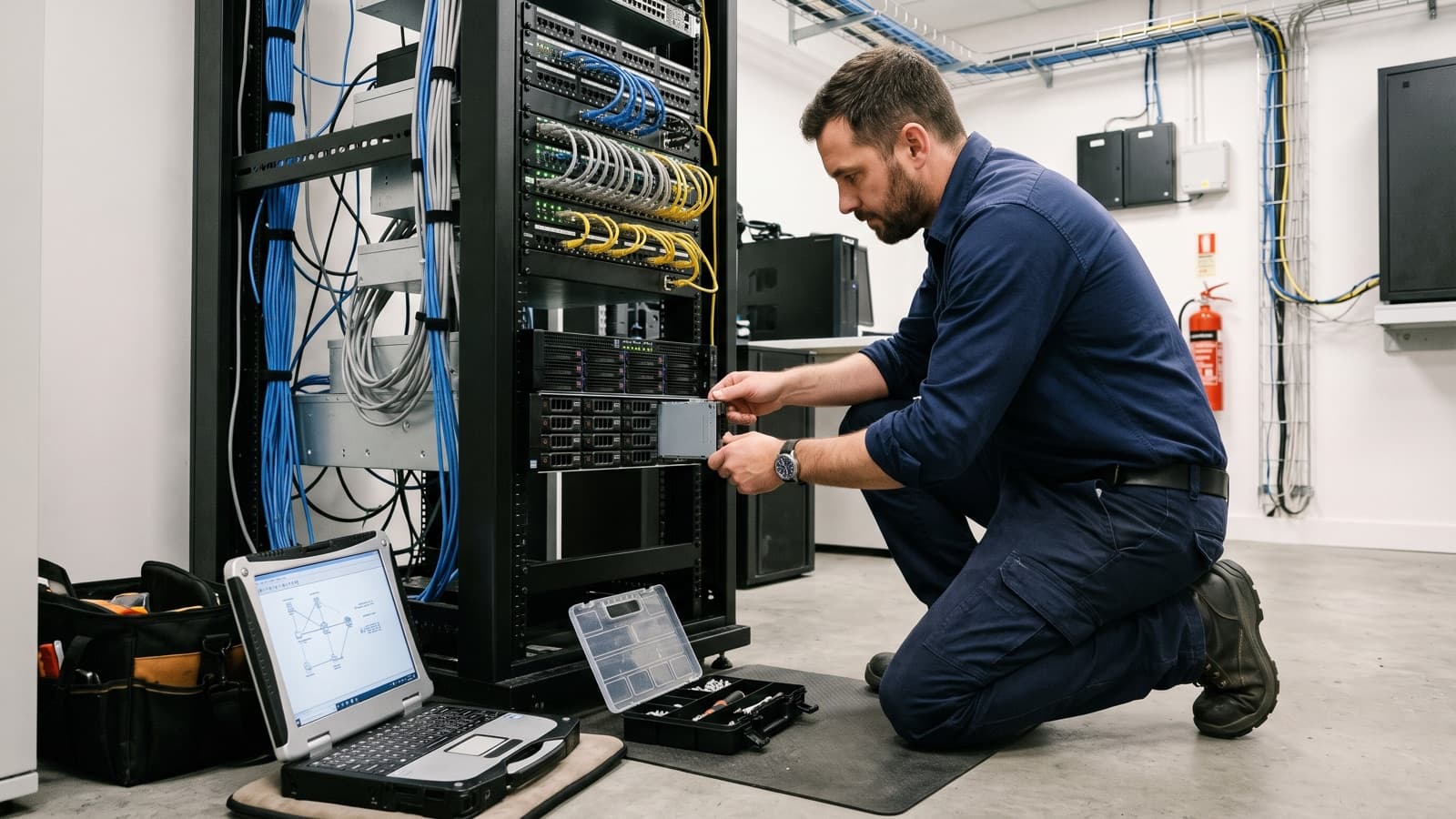
Hardware break-fix is the simplest way to buy hardware repair. Something fails, you raise a request, and a technician fixes it. The idea is easy to state and easy to get wrong in a contract. Buyers often discover during the first outage that nobody agreed who supplies the part, how fast someone must respond or what proof of the repair they would receive.
This explainer defines break-fix, lists what it usually covers and what it does not, walks through a typical visit and shows how spare parts are handled. It then compares break-fix with managed support and ends with a scope checklist and questions to put to a provider. Details differ by provider and by equipment vendor, so treat the lists as a starting point and confirm everything in writing.
What does hardware break-fix mean?
Hardware break-fix means a provider repairs or replaces equipment after it fails, and you ask for that help when the fault happens.
Wikipedia describes break/fix as a fee-for-service model in which the provider does work as needed and bills for that work. In field service the pattern is the same. A fault is reported, a technician diagnoses it, a part or unit is swapped and the device is tested. The work starts with a failure and ends with a working device.
That is different from ongoing care, where a provider monitors and maintains equipment to prevent failures. Our glossary entry on break-fix gives the short definition, and the comparison later in this article covers when each model fits.
What does hardware break-fix usually cover, and what does it not?
Break-fix usually covers diagnosing a hardware fault and replacing the failed part or unit at your site, for the equipment types named in the scope.
Most of the disagreements come from the edges, so list them. Typical inclusions and exclusions look like this.
- Usually covered: fault diagnosis, replacing a failed component such as a drive, power supply, memory module, fan or board, and testing after the repair.
- Usually covered: swapping a whole unit when the part is not serviceable, such as a failed desktop, printer or point-of-sale terminal.
- Often covered if named: unboxing, racking and cabling a replacement, and removing the failed unit.
- Not usually covered: software, operating system or application faults, unless the scope says so.
- Not usually covered: data recovery, restoring from backup and reconfiguring the replacement beyond a stated baseline.
- Not usually covered: damage from spills, drops or power events, and consumables such as toner.
- Not usually covered: equipment missing from the written asset list.
Which parts can a technician replace?
A technician can replace any part the equipment vendor allows, and vendors sort parts into those a customer may swap and those that need trained staff.
Lenovo documentation shows the idea. It says Tier 1 customer replaceable units are the customer's responsibility to replace, Tier 2 units can be installed by the customer or by the vendor under the warranty service type, and other field replaceable units should be replaced only by trained service technicians. Wikipedia describes a field-replaceable unit as a part that can be swapped without sending the whole product to a repair facility.
The wording and tiers vary by vendor, so ask your vendor's documentation which parts fall into each class. A provider with trained technicians can handle the parts that your own staff should not touch, and your own staff can still handle the simple ones.
How does a hardware break-fix visit run?
A break-fix visit runs in five steps: ticket, parts, visit, test and closeout.
In IT service management terms this is incident handling, where the aim is to restore normal service as quickly as possible. A written work order ties the steps together, so everyone can see what was agreed and what was done.
- Ticket. You report the fault with the asset, location, symptoms and a site contact. The provider logs it, checks it against the scope and confirms priority and access.
- Parts. The provider remotely narrows down the likely failed component, confirms whether a spare is available and arranges delivery to site or collection from stock.
- Visit. The technician arrives, checks in with the site contact, confirms the diagnosis, replaces the part or unit and removes the failed item as agreed.
- Test. The technician proves the fix: the device boots, the service runs, drives rebuild or the printer prints. You or your site contact witness the test where the scope asks for it.
- Closeout. The ticket closes with a report showing what failed, what was replaced, serial numbers, the test result and any follow-up. See our article on what a visit report should contain.
Who supplies spare parts, and how are they staged?
Spare parts come from the equipment vendor under warranty, from the provider's stock, or from spares you keep on site, and the scope should name which source applies to which equipment.
Spare parts staging means placing parts near the equipment before a failure, so the repair does not wait for shipping. A spare can sit in your comms room, at a depot or with the provider. Critical equipment justifies a closer spare. Low-impact equipment can wait for a delivery. Availability is confirmed when the work is scoped, not promised in general terms.
Agree the details that cause friction later: who owns a spare once it is installed, who ships the failed part back, and who keeps a failed drive that may hold data. Our glossary entry on spare parts staging goes into more detail.
Should I choose break-fix or managed support?
Break-fix fits when failures are occasional, downtime is tolerable and you have someone who can raise a ticket and manage the repair.
Managed support fits when downtime is costly, you lack in-house staff or you want someone to monitor and maintain the equipment. Wikipedia notes that break/fix is reactive, so a small unaddressed problem can grow into a major failure, and that managed services usually charge a flat fee for covered work. Neither model is better in general.
Many organizations use both: a managed service for the core environment and break-fix for branch offices, printers or retail equipment. We cover the decision in more detail in our comparison of break-fix and managed IT services.
What should I write into a break-fix scope?
Write the scope as a list of named equipment, named services and named evidence, because the provider is bound only by what the document says.
Response terms deserve special care. NIST describes a service level agreement as a contract that sets the level of service, such as how quickly service must be restored after a failure. Separate response (someone acknowledges and engages) from resolution (the device works again), and define the clock, the hours covered and who pays if the target is missed.
- An asset list with make, model, serial number, location and priority for each item.
- Services included: diagnosis, on-site replacement, removal of failed units, basic configuration and testing.
- Exclusions stated in plain words: software faults, data recovery, damage and consumables.
- Response and resolution terms, support hours and how priority is decided.
- Spare parts source, staging location, ownership and return of failed parts.
- Handling of failed drives and any data-bearing parts.
- Site access, escalation contacts and who authorizes work outside scope.
- Closeout evidence: report content, serial numbers and test results.
- Commercial basis for labor and parts, written into the agreement. See our article on fixed price or time and materials.
- How out-of-warranty equipment is treated, and how items get added to or removed from the list.
What should I ask a break-fix provider?
Ask questions that make the provider describe how a real failure would be handled, because general answers hide gaps.
- Which of my equipment makes and models do your technicians work on, and which do you decline?
- Where do spare parts come from, and how is availability confirmed for my sites?
- How do you define response and resolution, and what happens when a target is missed?
- Who decides whether a fault needs a visit, and how do you diagnose remotely first?
- What does a closeout report show, and can I see a sample?
- How do you handle failed drives and returned parts?
- What happens with equipment that is out of warranty or out of vendor support?
- How do you handle after-hours requests, and what are the limits?
Key takeaways
- Break-fix is reactive: you raise a ticket when hardware fails, and the technician diagnoses, replaces and tests.
- The scope decides the outcome, so name the equipment, exclusions, parts source, response terms and closeout evidence.
- Separate response from resolution in any service level, and write down how each is measured.
- Break-fix and managed support can coexist, with each used where it fits.
Sources and further reading
- NIST Computer Security Resource Center, glossary entry: service level agreement (opens in a new tab)
- Lenovo Press documentation, removing and replacing components (CRU and FRU tiers) (opens in a new tab)
- Wikipedia, Field-replaceable unit (opens in a new tab)
- Wikipedia, Break/fix (opens in a new tab)
- Wikipedia, Incident management (ITSM) (opens in a new tab)