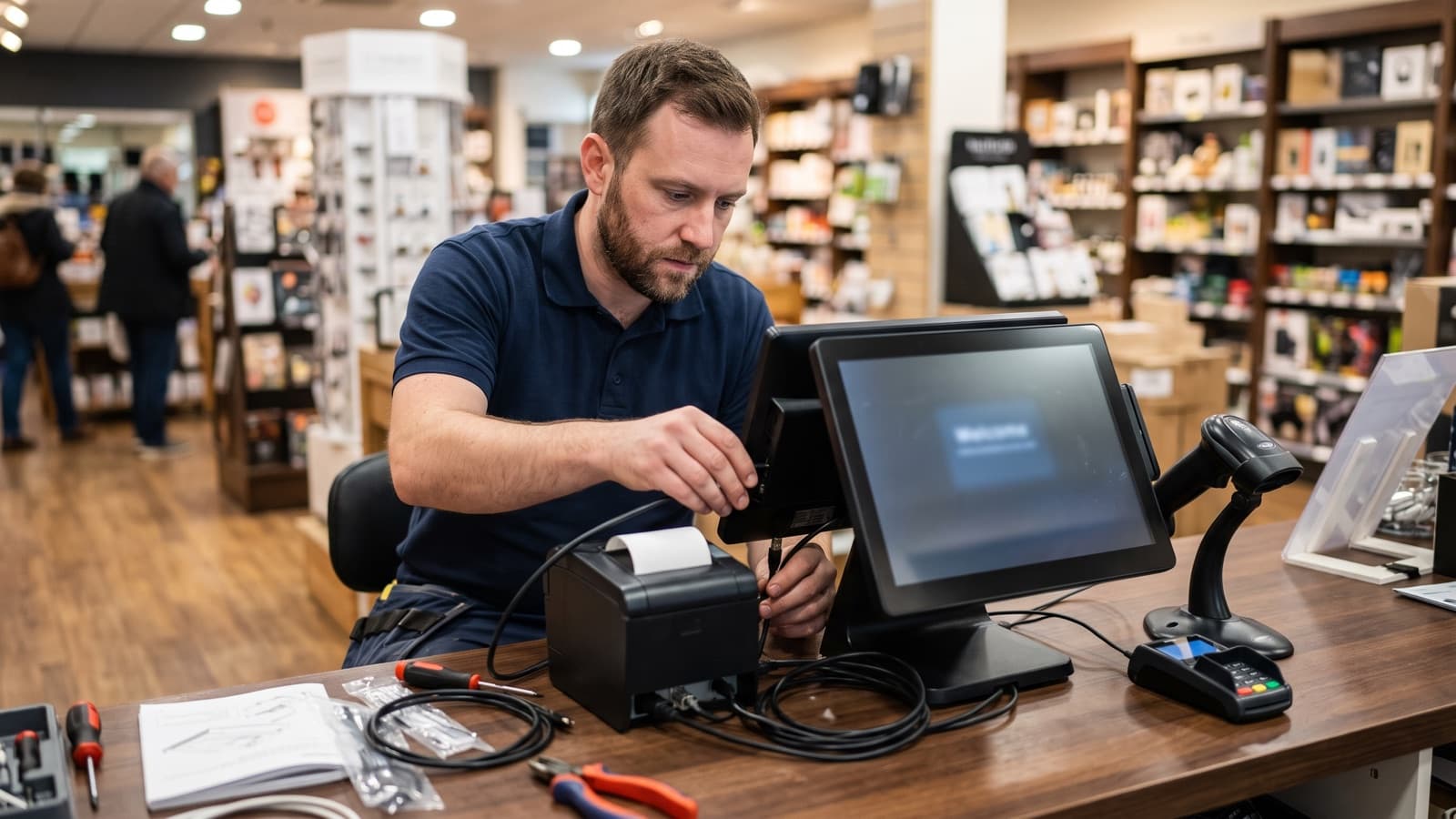
Most POS problems on opening day are not software problems. A card reader that cannot reach the network, a receipt printer set to the wrong paper size, a cash drawer that does not open, or a cashier who was never shown how to void a sale. These are installation gaps, and they happen when the scope only says "install POS".
This guide lists what a POS installation normally includes and what a retailer or restaurant should write into the scope. It also covers who does what, because the POS vendor and an on-site installer often split the work. Details vary by system and site, so treat this as a checklist to adapt and agree in writing before the visit.
What does POS installation include?
POS installation includes physical setup of the hardware, the network and power it depends on, software configuration, testing, staff training and a controlled go-live.
Some buyers expect only the first part. Others assume the installer also builds the menu or product catalog. Write down which parts are in the scope, who owns each one and what "done" means. The sections below follow the order of a typical job, and each part can be assigned to the vendor, the installer or your own team.
Which hardware should the scope list?
The scope should list every device by type and quantity, with where each one goes and how it connects.
Naming each item prevents the missing-item problem on install day. It also tells you what the installer will mount, label and test.
- Terminals or tablets: count per register, stand or mount type, and whether they are customer-facing.
- Receipt and kitchen printers: network or USB, paper width, and which printer prints which ticket.
- Barcode scanners: handheld or counter-mounted, wired or wireless, and how they pair.
- Cash drawers: how each one connects and opens, usually through the receipt printer.
- Card readers or payment terminals: who supplies them, and how each is registered with the payment provider.
- Customer displays, scales and label printers, where the business uses them.
- Network gear: router, switch, access points and any dedicated network for payment devices.
- Power protection: surge protection or a small UPS for the core devices.
What network, cabling and power work comes with a POS install?
A POS install needs reliable network connections, power at each counter and a clear path for cables, and the scope should say who provides each.
Payment providers publish network requirements for their readers. One provider's deployment checklist lists passworded wireless with modern encryption, IPv4 support, outbound firewall access to its required endpoints, and a stable local IP address for each reader through the working day. It notes that blocked endpoints are a common and hard to diagnose cause of reader connection failures. It also suggests wired Ethernet where wireless is weak.
Ask for a short pre-install survey of counters, outlets, wireless coverage and cable routes. If new drops are needed, agree the cabling work, labeling and test records as a separate item.
Who does the software and configuration, the POS vendor or the installer?
The POS vendor usually owns the software account, menu or catalog, tax rules and payment settings, while the on-site installer handles the physical devices and local connections.
This split causes the most delay when nobody writes it down. The installer cannot finish a test sale if the vendor has not enabled the payment account. The vendor cannot confirm a printer works if no one is on site. Agree these points before the visit.
- Who loads products, menu items, modifiers, prices and tax settings, and by what date.
- Who creates user accounts, roles and permissions, and who sets the first passwords.
- Who configures printer routing, receipt layout and drawer behavior.
- Who enables the payment account and registers the card readers.
- Who holds the admin credentials after handoff, and how they are stored.
- Who changes default passwords and codes on devices. One provider's checklist, for example, tells you to replace the default admin menu passcode on its smart readers.
- Who is reachable by phone during the install window on the vendor side.
How should a POS install be tested before go-live?
Test every device and every payment path, first in the vendor's test mode and then on the real hardware, before the first customer is served.
Payment providers offer test environments that run transactions without moving real money, plus test cards for physical readers. One provider's documentation says its physical test cards work only in its test environment, and that test amounts can trigger approvals or specific declines. Ask the vendor what test mode and test cards they support, and who brings the cards.
- Ring up a test sale on each register in test mode: approved, declined and cancelled.
- Test chip, tap and swipe or manual entry, as your reader supports them.
- Print a receipt and a kitchen ticket from each register and check they route to the correct printer.
- Scan a sample of real barcodes, including damaged or hard-to-read ones.
- Open each cash drawer from the POS and confirm it reads closed and open correctly.
- Test a refund, a void and a discount with the roles staff will actually use.
- Unplug the internet connection and watch what each register does. Some readers can store payments offline and forward them later, and forwarded payments can still be declined, so decide whether offline mode is allowed at all.
- Switch to live mode, process one small real payment, then refund it, and confirm the receipt arrives.
How should staff training, cutover and rollback be planned?
Train staff on the real devices before go-live, choose a quiet cutover window, and agree a rollback plan in advance.
A short walkthrough on the installed system works better than a long session on a demo. Cover opening and closing the till, ringing and voiding sales, refunds, what to do when a reader fails and who to call. Hand over a one page quick guide for each role.
Pick the cutover time with the business. Restaurants often avoid service hours, and retailers avoid sales events. Keep the old system available until the new one has passed its tests. Decide in writing what triggers a rollback, who decides, and how the old system is restored. Plan for same-day support at opening, because small issues appear when real customers arrive.
What changes in a multi-store rollout?
A multi-store rollout needs a repeatable standard so every site is installed, tested and documented the same way.
Start with a pilot at one site, fix what it exposes, then roll out in waves. Stage and label equipment in advance, keep a spare kit, and use one checklist and one test script across sites. Our multi-site rollout checklist covers the planning in more detail.
Each site should end with a closeout record: devices installed with serial numbers, test results, settings changed, open issues and who was trained. That record helps the next site go faster and gives your break-fix provider a baseline. Deploris plans and runs retail and POS deployments this way. Pricing depends on scope and is agreed in writing before work starts.
Which PCI-related practices belong in the POS scope?
Payment security is shared between you, your POS vendor and your payment provider, so the scope should state who handles each security task.
The PCI Security Standards Council publishes guidance for merchants, including a questions-to-ask-vendors list and a note that PCI DSS applies regardless of business size. It also warns that vendors may use remote access for support, and says to use it only when needed with multi-factor authentication. Validation requirements are set by the payment brands, so ask your acquirer what applies to you. This post is general information and not compliance advice.
- Check with your vendor that PIN entry devices appear on the PCI list of approved PTS devices, for the exact version in use.
- Change default passwords and codes on every device, and record who holds the new ones.
- Keep payment devices on a separate or controlled network segment where the provider recommends it.
- Agree how remote support access is granted, logged and switched off.
- Inspect readers for tampering after install and on a schedule, because skimming devices can be attached to card readers.
- Plan firmware and software updates outside trading hours.
Key takeaways
- Write every device, connection and handoff into the scope, because "install POS" leaves gaps on opening day.
- Agree in writing who does what: the vendor usually owns software and payment setup, the installer owns devices and local connections.
- Test every payment path in test mode first, then run one small live payment and refund before go-live.
- Plan staff training, a quiet cutover window and a rollback trigger before the visit, and pilot one site before a multi-store rollout.
Sources and further reading
- Stripe Docs, Terminal deployment checklist (network requirements, testing, receipts, updates, offline planning) (opens in a new tab)
- Stripe Docs, Test Stripe Terminal (simulated readers, physical test cards, test amounts) (opens in a new tab)
- Stripe Docs, Accept offline payments (stored payments forwarded when the connection returns) (opens in a new tab)
- PCI Security Standards Council, Merchants (small merchant resources, vendor questions, remote access) (opens in a new tab)
- PCI Security Standards Council, PIN transaction security (PTS) device listings (opens in a new tab)