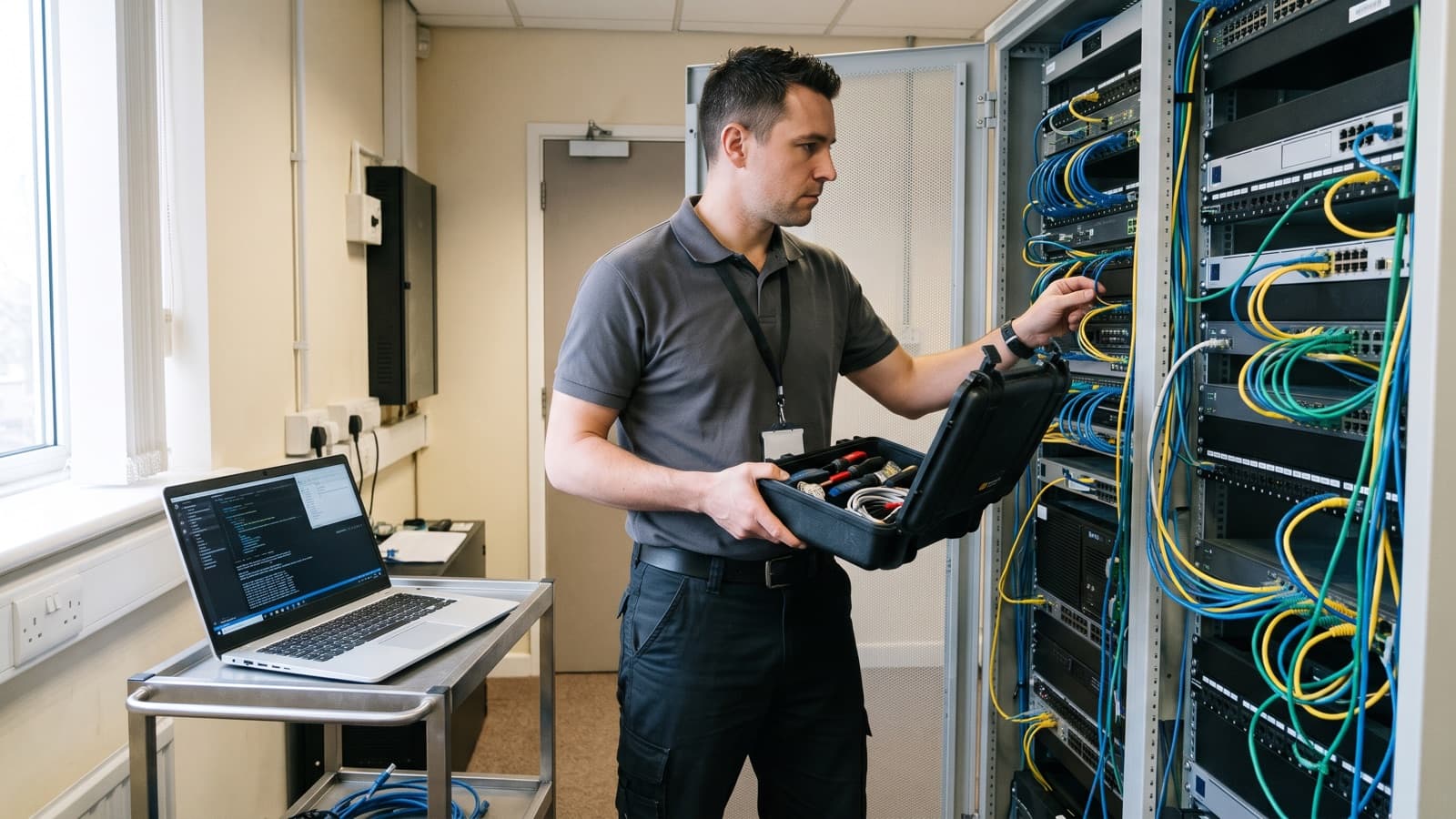
Job ads, vendor quotes and support contracts all use the title field service engineer, and they do not always mean the same thing. For a buyer, the real question is who will arrive at the rack and what that person is able to do there. For a job seeker, the question is what the day involves and how the role differs from a technician or a help desk post.
This article describes the role in plain terms: the job flow from ticket to closeout, a typical day, the skills and tools, how three related roles differ and what you should expect when one arrives on site. Titles are not standardized, so treat the differences as common patterns and check the written scope or job description for the exact duties.
What does a field service engineer do?
A field service engineer travels to a customer site to install, maintain, repair and test equipment, then records what was done. The work starts from a ticket or work order and ends when the system is confirmed working and the customer has a written record.
IBM describes field service management as coordinating a company's resources, including employees and equipment, in work activities off company property. It says technicians carry out installation, maintenance and repairs at the customer's location. In IT, that equipment is usually servers, network gear, storage, point of sale systems, printers, cabling and end user devices.
The engineer is also the customer's view of the provider. They are often the only person from the provider that the customer meets, so clear communication and tidy work matter as much as technical skill.
What is the job flow from dispatch to closeout report?
The flow has six steps: dispatch, ticket review, travel, on-site work, testing and closeout. IBM's overview of field service lists the same chain: a work order is created, the job is scheduled, a technician is dispatched, the work is done on site, and the order is completed and billed.
Closeout is the step where many jobs go wrong. A visit with no record cannot be billed, audited or learned from, and our article on visit reports lists what a good record holds.
- Dispatch. A coordinator matches the job to an available engineer by skill, location and time window, then confirms the visit with the customer. Our glossary entry on dispatch covers the term.
- Ticket review. The engineer reads the work order: site address, contact, access rules, the fault or task, the parts to bring and any service level to meet.
- Travel. They collect parts and tools, confirm the contact and arrive inside the window. If they will be late, the dispatcher tells the customer.
- On-site work. They check in, confirm the problem with the site contact, then diagnose and fix or install. Changes follow the agreed scope and the site's rules.
- Testing. They prove the result, for example by passing traffic, running a self test or printing a test page, and ask the customer to confirm it.
- Closeout. They update the ticket with what was found, what was done, parts used, times and any follow up, and attach photos or test results.
What does a typical day look like?
A typical day is a handful of dispatched visits with travel between them, and the mix depends on whether the work is planned or reactive.
Planned work, such as a rack and stack, a device refresh or a cabling check, usually has a fixed time and a prepared parts list. Reactive work, such as break fix, arrives with little notice and a fault to find. Most days mix both, which is why engineers carry common spares and tools. Some work also runs outside office hours. The US Bureau of Labor Statistics notes that computer support may need to run around the clock, so some staff work nights or weekends.
Here is an illustrative day. It is an example, not a schedule.
- Start of day: review the tickets, confirm access with each contact and check that the parts for each job are in the vehicle.
- Morning: first visit, for example replacing a failed switch or drive, then test and close the ticket.
- Midday: travel, and a short remote call with a senior engineer if a fault is unclear.
- Afternoon: second visit, such as installing a workstation or tracing a printer fault, with a third if time allows.
- End of day: finish reports, tag or return parts and flag any follow up work.
What skills and tools does a field service engineer need?
The core skills are troubleshooting, hands-on hardware and network knowledge, clear communication and careful paperwork. The BLS lists communication, customer service, listening and problem solving as key skills for computer support specialists, and the same traits show up in field work.
CompTIA describes its A+ certification as validating skills in installing and maintaining hardware, troubleshooting hardware and network issues and using troubleshooting tools. It says the certification prepares people for roles such as IT support specialist and help desk technician. It is one common starting point, not a rule for every job, since employers set their own requirements.
The BLS describes related repair workers as inspecting and testing equipment, isolating faults, replacing parts and keeping records of repairs, tests, parts and labor hours. The same habits apply to IT field work.
- Hand tools: screwdriver sets, pliers, cutters and an anti-static strap.
- A laptop with console cables and a USB serial adapter, plus access to the ticketing app.
- Test gear: a cable tester, multimeter and tone and probe set for network and power checks.
- Spares named in the work order, such as patch cables, optics, drives and fans.
- A mobile app or camera for timestamps, photos and customer sign off.
- Labels, cable ties and bags for failed parts and return paperwork.
How do a field service engineer, a field technician and a help desk role differ?
A field engineer is expected to diagnose and decide, a field technician usually carries out a defined task on site, and a help desk role works with users remotely. These are common patterns, not rules, and some employers use the titles as synonyms.
The BLS says help desk technicians are another name for computer user support specialists, and that their work is customer facing and delivered by phone, chat, email or in person. It also says some computer support specialists must be onsite or travel to clients' locations, so the line between help desk and field work is not always sharp.
People do move between these roles, but there is no single path.
| Field service engineer | Field service technician | Help desk | |
|---|---|---|---|
| Where | At the customer site | At the customer site | Mostly remote by phone, chat or email |
| Typical task | Diagnose faults, install and configure systems | Swap parts, install devices, follow a written procedure | Answer user questions, reset accounts, guide users through fixes |
| Decision scope | Chooses the fix inside the agreed scope | Follows the instructions on the work order | Follows a knowledge base and escalates what it cannot solve |
| Escalates to | Senior engineers and vendor support | An engineer or the dispatcher | Field or second line support |
| Main output | A working system and a closeout report | A completed task and a short report | A resolved or escalated ticket |
What should a customer expect from an engineer on site?
Expect the engineer to arrive in the agreed window, confirm the problem with you, work to the written scope and leave a record. If any of these is missing, raise it at the time, not after the visit.
The customer has a part to play too. Provide access, a named contact, the equipment on site, any credentials or a person who can enter them, and a clear description of the fault. A common cause of a wasted visit is missing access or missing information, not a lack of skill. For out of hours visits, our article on after hours dispatch lists what to settle in advance.
- Arrival inside the window, or a call from dispatch before it.
- A check in with your contact and any site steps, such as badge, escort or change window.
- A restatement of the task before work begins, so scope changes are caught early.
- Tidy work: no loose cable, the cabinet closed and locked and packaging removed.
- A test you can watch or confirm before the engineer leaves.
- Failed parts handled as agreed in advance, including any drives that hold data.
- A closeout report within the time agreed in the scope.
How does Deploris provide field service engineers?
Deploris can send a field engineer or technician to your site on demand or on a schedule, with the scope agreed first. We match the visit to the skill needed, write the work order with you and return a closeout report when the job ends.
Cost depends on the scope, the site and the timing, so it is set per engagement after we understand the work. If you are looking at field service as a career, see our careers page.
Key takeaways
- A field service engineer goes to the customer site to install, fix and test equipment, and is expected to diagnose faults, not only follow steps.
- The job flow is dispatch, ticket review, travel, on-site work, testing and a closeout report. Skipping the report weakens the whole visit.
- Engineer, technician and help desk are common patterns, not fixed definitions, so read the scope or job description for the real duties.
- Customers get the best visit when they provide access, a contact and a clear fault description.