Colocation order forms and carrier quotes use three words that sound alike: cross connect, interconnect and leased line. They describe different things, they come from different suppliers, and ordering the wrong one costs time. A leased line cannot be installed by the colocation operator, and a cross connect does not carry traffic out of the building on its own.
This article defines each term, shows who provisions it, walks through the usual ordering flow and explains what on-site remote hands can and cannot do. Terminology varies between operators and carriers. The same product may carry a different name at another site, so treat the definitions here as a working vocabulary and check each order form.
What is a cross connect?
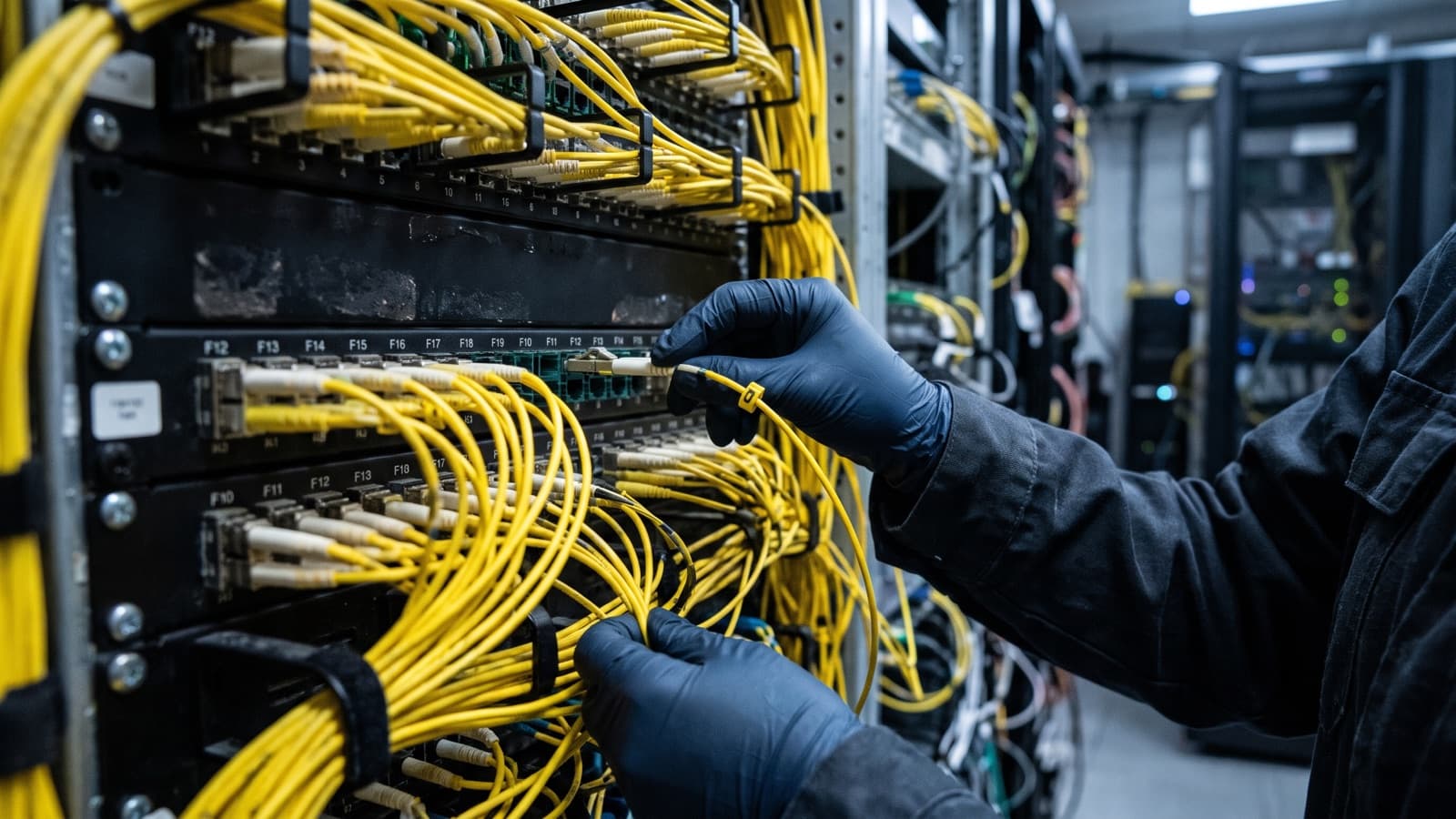
A cross connect is a dedicated point-to-point cable inside a data center that joins two parties' equipment, for example your cabinet and a carrier's equipment in the same building.
Operator documentation describes it in these terms. One colocation provider says a cross connect is a dedicated link inside the data center that connects a carrier circuit to your equipment in your cabinet. Another describes a physical cable that links a customer to a carrier, an internet exchange or another tenant in the same facility. It is usually fiber or copper, and it is limited to the building or campus.
A cross connect has no bandwidth contract of its own in the way a carrier circuit does. It is the physical path. What runs over it, whether a carrier service, a cloud on-ramp or traffic between two tenants, is a separate arrangement.
What is an interconnect, and how is it different from a cross connect?
Interconnection is a broader term for connecting two networks directly, and in a colocation setting it most often means a cross connect between you and another party.
Some operators use interconnection as a product family name that includes cross connects, exchange ports and virtual connections. Others use interconnect as a plain synonym for cross connect. Some pages on connectivity do not use the word at all. That is why you should ask what physical path and what service sits behind the word on a quote.
A practical test: if the item is a cable between two cages or cabinets in one facility, it behaves like a cross connect. If it is a port on a shared network, a virtual circuit or a service between buildings, ask who provides it and how it is billed.
What is a leased line?
A leased line is a dedicated circuit supplied by a carrier that connects two locations, such as your office and your colocation cage, with fixed bandwidth for a monthly charge.
One provider's connectivity documentation describes leased lines as extending a dedicated link between two separate locations, with billing based on bandwidth, distance and service type. Dedicated internet access is a related carrier product that runs from the provider's network to your site.
The carrier owns and operates the circuit. In a colocation building the carrier's circuit ends at the carrier's equipment or at a meet-me room, and a cross connect then carries it the last short distance to your cabinet. So the two are often ordered together rather than as alternatives.
Who provisions each one?
The colocation operator provisions a cross connect, the carrier provisions a leased line and you provide the equipment, the authorization paperwork and the access details.
The split below shows the usual pattern. Operators differ, so confirm it in writing before you order.
| Item | Who provisions it | What you provide |
|---|---|---|
| Cross connect | Colocation operator installs the cable and patches both ends | LOA/CFA from the other party, cabinet and port details, your equipment |
| Interconnect | Depends on the product: operator, exchange or network provider | Order form with the exact service name, ports and speeds |
| Leased line | Carrier builds the circuit and delivers it to its handoff | Site access, rack space, power, handoff equipment and a cross connect to the carrier |
What is the usual ordering flow for a cross connect?
The flow is: get the authorization from the party you connect to, submit the order to the operator, wait for installation, then test and accept.
The details vary by operator, and the steps below are the common pattern rather than a rule.
- Get the LOA/CFA. A Letter of Authorization, often paired with a Connecting Facility Assignment, names the exact port or panel the other party's service lands on. The carrier or cloud provider issues it, or you issue one to them, depending on who orders. Some LOA/CFAs expire if the work is not finished in time. One cloud provider's documentation sets that window at 90 days.
- Submit the order to the colocation operator through its portal or ticket. Include the LOA/CFA, your cabinet and port, the media type and the connector type. Some operators ask you to attach the carrier's LOA to the ticket.
- The operator locates the circuit. If it cannot be found, you may need to ask the carrier for a tag and locate visit before work can continue.
- The operator installs the cable between the two endpoints. Custom lengths or materials can add lead time.
- Confirm the demarc. The demarcation point is where one party's responsibility ends and the other's begins. In US rules it is the point where the carrier's network meets the subscriber's equipment or wiring. In a data center it is usually a specific panel or port, and your contract sets who is responsible on each side.
- Patch your equipment, check light levels and link status, label both ends and record the result. Then accept the work with the operator or carrier.
What can remote hands do, and what only the operator or carrier can do?
Remote hands can do the work inside your own cabinet, such as patching, labeling, testing and verifying light levels, but they cannot create the cross connect or the circuit itself.
Inside your cage or cabinet, a remote hands technician can connect jumpers between your equipment and the handoff panel, label both ends, clean and inspect connectors, and check link status and optical power with a light meter if the work order covers it. They can also photograph the patched ports and report what they found, which helps when a link will not come up. A clear ticket speeds this up, and our guide to writing a remote hands ticket covers the details.
Several tasks stay with other parties. Only the colocation operator can install or remove a cross connect in its shared pathways, and only the operator can move a connection at its main patch fields. Only the carrier can build, provision or repair the leased line, and only the carrier can change what happens on its side of the demarc. Remote hands can still help by being on site when the carrier technician arrives, checking that the right fiber is patched and confirming what the carrier equipment shows.
- Remote hands can: patch to the handoff, label, clean and inspect connectors, check link lights and optical power, photograph and report, escort or meet the carrier technician.
- Operator only: install, move or remove cross connects, assign ports and panels, grant access to shared meet-me areas.
- Carrier only: build and activate the circuit, change service settings, repair faults on the carrier side of the demarc.
Which one do I need?
Order a cross connect to link two parties in the same building, a leased line to reach a site outside the building, and ask the supplier what an interconnect product contains before you buy.
The table maps common situations to the item to order. Most real projects need more than one row.
| Situation | Order | Order it from |
|---|---|---|
| Your cabinet to a carrier already in the same building | Cross connect | Colocation operator, with the carrier's LOA/CFA |
| Your cabinet to another tenant in the same building | Cross connect | Colocation operator, with LOA/CFA from both sides as required |
| Your office or other site to your colocation cage | Leased line, plus a cross connect at the building | Carrier for the circuit, operator for the cross connect |
| Direct link to a cloud or exchange in the same facility | Interconnect product, usually a cross connect | Operator or provider, per the provider's instructions |
| Something already patched that needs to be checked, labeled or moved inside your cabinet | No new order, a remote hands work order | Your remote hands provider |
How does Deploris help with cross connect work?
Deploris handles the on-site steps inside your cabinet, such as patching, labeling, light-level checks and verification, under a written work order.
We cannot order a cross connect for you from inside the operator's systems, and we do not build carrier circuits. What we can do is prepare the cabinet side, meet the operator or carrier technician, confirm the right ports and fiber, test the link and send you the evidence. Our cross connects service page and the remote hands service describe the scope, and any pricing is quoted against a written scope.
Key takeaways
- A cross connect is a cable inside one building, a leased line is a carrier circuit between sites, and interconnect is a broader word that varies by operator.
- The colocation operator installs the cross connect and the carrier builds the leased line. You supply the LOA/CFA, port details and equipment.
- Many projects need both: a carrier circuit into the building and a cross connect to your cabinet.
- Remote hands can patch, label, test and verify inside your cabinet, but cannot create the cross connect or the carrier circuit.
Sources and further reading
- AWS Direct Connect User Guide, Requesting cross connects at Direct Connect locations (opens in a new tab)
- PacketFabric documentation, Cross connects overview (opens in a new tab)
- Expedient knowledge base, Cross connects (opens in a new tab)
- Gcore documentation, Colocation connectivity (opens in a new tab)
- 47 CFR 68.3, Definitions (demarcation point) (opens in a new tab)